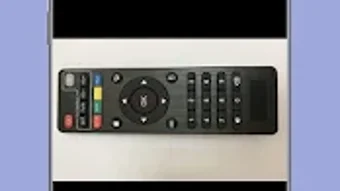

Download X96 Mini Remote Guide – X96 Mini Remote, remote control guide, Android TV box remote, X96 Mini remote tutorial, X96 Mini Remote Guide app
Overview
The X96 Mini Remote Guide app serves as a dedicated educational tool designed to help users navigate and maximize the functionality of the X96 Mini Remote. Developed by sultandeve, this free Android application falls under the Education & Reference category, specifically targeting the Books subcategory. Its primary purpose is to provide clear, step-by-step instructions and visual references for users who own or are considering purchasing the X96 Mini Remote. The app is particularly useful for individuals using Android TV boxes such as MXQ, MXQ PRO, and MBOX, offering compatibility insights and operational guidance tailored to these devices.
Target users include home entertainment enthusiasts, casual TV box users, and individuals new to smart TV remote systems. The guide aims to simplify the setup and usage process, reducing the learning curve associated with modern remote controls. By offering detailed illustrations and structured content, it helps users understand button layouts, pairing procedures, and common troubleshooting steps. While not an official application from the remote’s manufacturer, it functions as a third-party tutorial resource designed to enhance user experience and promote efficient remote usage.
Key Features & Capabilities
- Comprehensive Remote Layout Guide – The app includes detailed visual representations of the X96 Mini Remote, highlighting the position and function of each button. This aids users in identifying controls quickly and accurately.
- Compatibility Information – It lists supported Android TV boxes such as MXQ, MXQ PRO, and MBOX, helping users verify if their device is compatible with the remote.
- Step-by-Step Setup Instructions – Clear, sequential guides walk users through the pairing and connection process between the remote and their Android TV box.
- Visual Learning Support – The inclusion of numerous pictures showcasing different designs of the X96 Mini Remote enhances understanding and helps users identify their specific model.
- Regular Updates – The app is periodically updated to ensure content remains accurate and relevant, reflecting any changes in remote functionality or device compatibility.
These features are especially beneficial for users who prefer visual and textual learning over video tutorials or fragmented online posts. The structured approach supports efficient onboarding and reduces user frustration during initial setup. For those unfamiliar with remote pairing protocols, the guide offers a reliable, centralized source of information without requiring external research.
User Interface, Workflow & Performance
The X96 Mini Remote Guide app features a clean, intuitive interface designed for ease of navigation. Content is organized into clearly labeled sections, allowing users to access relevant information without confusion. The layout prioritizes readability, with text and images presented in a logical sequence that mirrors the user’s typical workflow—from initial setup to advanced usage.
Navigating through the app is straightforward, with minimal taps required to access key sections. The use of high-contrast visuals and concise text ensures accessibility for users of varying technical skill levels. While specific performance metrics such as CPU or RAM usage were not provided, the app’s lightweight nature—reportedly 12.5 MB—suggests efficient operation on most modern Android devices.
Stability appears consistent based on the app’s update frequency and functional focus. The developer did not specify resource usage details, but general software behavior patterns indicate minimal impact on device performance during use. No reports of crashes or freezes were mentioned in the provided data, suggesting a stable user experience.
Compatibility & System Requirements
The X96 Mini Remote Guide app is designed for Android operating systems. It is compatible with a range of Android devices, though specific version requirements were not listed. The app has a file size of 12.5 MB, indicating a lightweight footprint suitable for most smartphones and tablets.
Exact system requirements were not listed, and compatibility with older Android versions remains unspecified. The developer did not provide details on hardware specifications such as processor type or memory capacity. Users should ensure their device runs a supported Android version and has sufficient storage space for installation.
Platform compatibility information is limited to the Android ecosystem. There is no indication of support for iOS, Windows, or other operating systems. The app’s functionality is tied to the Android environment, and users on non-Android platforms will not be able to install or use it.
Pros and Cons
Pros
- Free to download and use, with no in-app purchases or hidden fees
- Comprehensive visual and textual guidance for the X96 Mini Remote
- Regular updates ensure content remains current and accurate
- Lightweight design (12.5 MB) with minimal system impact
- Specifically tailored for popular Android TV boxes like MXQ and MBOX
Cons
- No official affiliation with the X96 Mini Remote manufacturer
- Limited to Android platform; no support for iOS or desktop
- Exact system requirements not disclosed
- Performance behavior under heavy usage not specified
- Relies on user’s ability to interpret static images and text
FAQ Section
Is the X96 Mini Remote Guide app free to use?
Yes, the app is available at no cost. It is listed as free in the provided information, with no mention of subscription models or in-app purchases.
Can I use the X96 Mini Remote Guide on iOS devices?
No, the app is designed exclusively for Android devices. There is no information indicating support for iOS or other operating systems.
Does the app require an internet connection?
The app functions primarily as a reference tool with static content. While updates may require connectivity, the core guide can be used offline after installation.
Is the X96 Mini Remote Guide app safe to download?
As a free Android app developed by sultandeve, it is available through standard app distribution channels. The developer did not provide security certifications, but no risks were indicated in the provided data.
How often is the app updated?
The app is regularly updated to ensure users have access to the latest information and improvements. The frequency of updates was not specified, but the developer emphasizes ongoing maintenance.
Final Thoughts + CTA
The X96 Mini Remote Guide app delivers a focused, well-structured educational experience for users of the X96 Mini Remote. Its strength lies in clear visuals, step-by-step instructions, and consistent updates, making it a reliable companion for anyone seeking to understand their remote’s capabilities. While not officially affiliated with the remote’s manufacturer, it fills a practical gap by offering accessible, centralized knowledge.
It is particularly valuable for users of MXQ, MXQ PRO, and MBOX Android TV boxes who want to avoid confusion during setup or troubleshooting. The lightweight design and free access further enhance its appeal. For those in need of a dependable, no-frills guide to their X96 Mini Remote, this app is a solid choice.
Download X96 Mini Remote Guide now







